
• Skip to main content
  • Skip to primary sidebar
  • Skip to footer

Critical Care Operations

EPIC

Finding the Team Lists
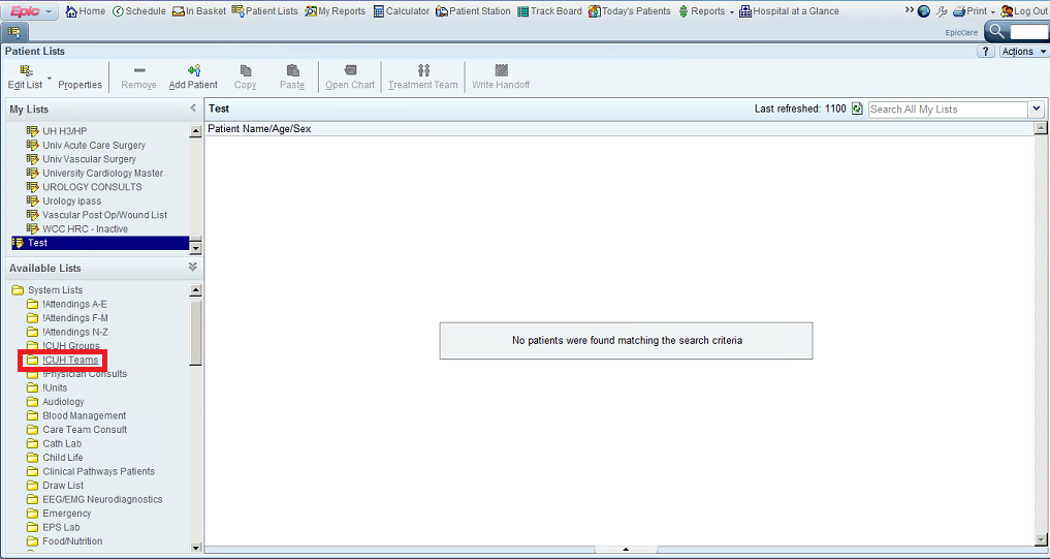
Click on Red or Blue to Find Team
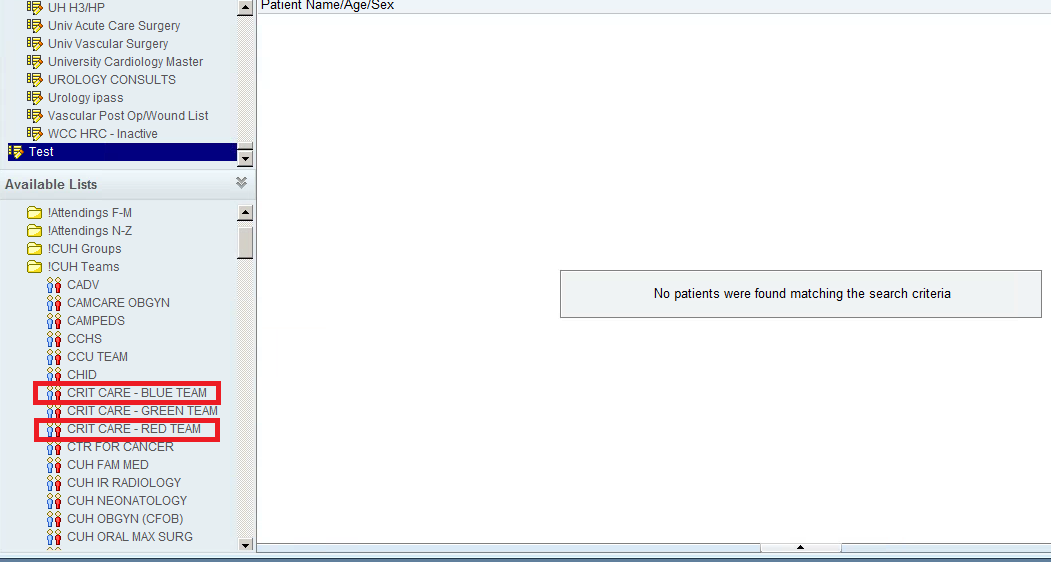
Adding Patients to the List: Click Units Tab
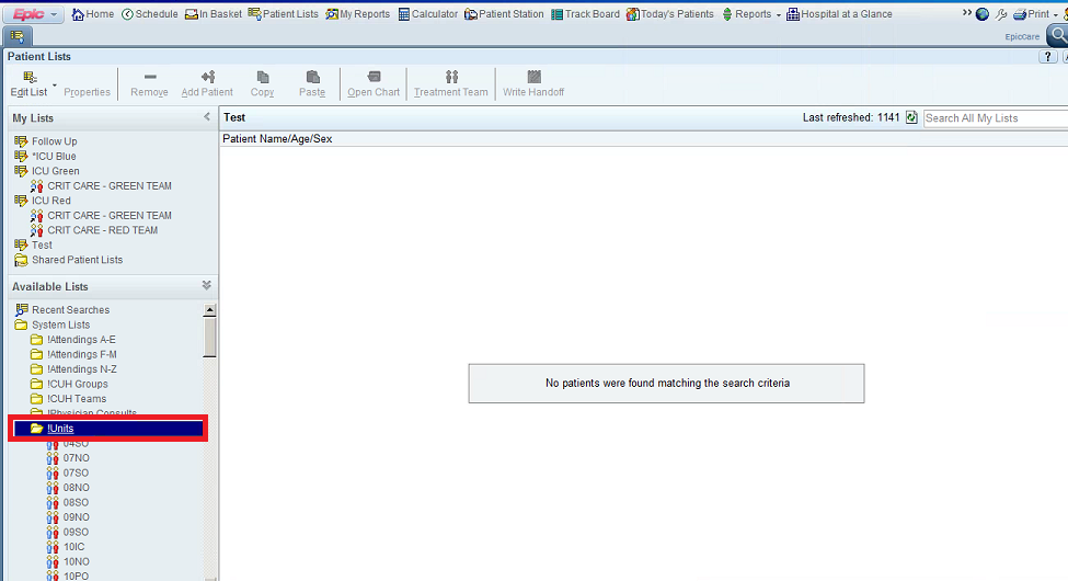
Scroll Down and Click ICU


Select Patient, Right Click Patient, Select Treatment Team

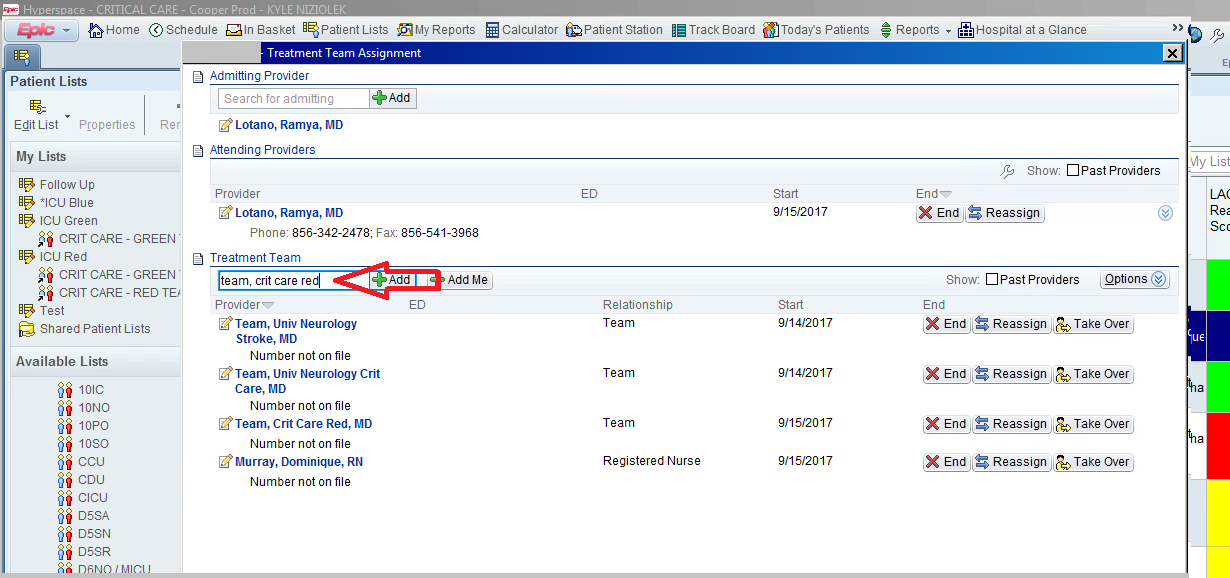
Type Team, Crit Care Red or Blue and Hit Enter
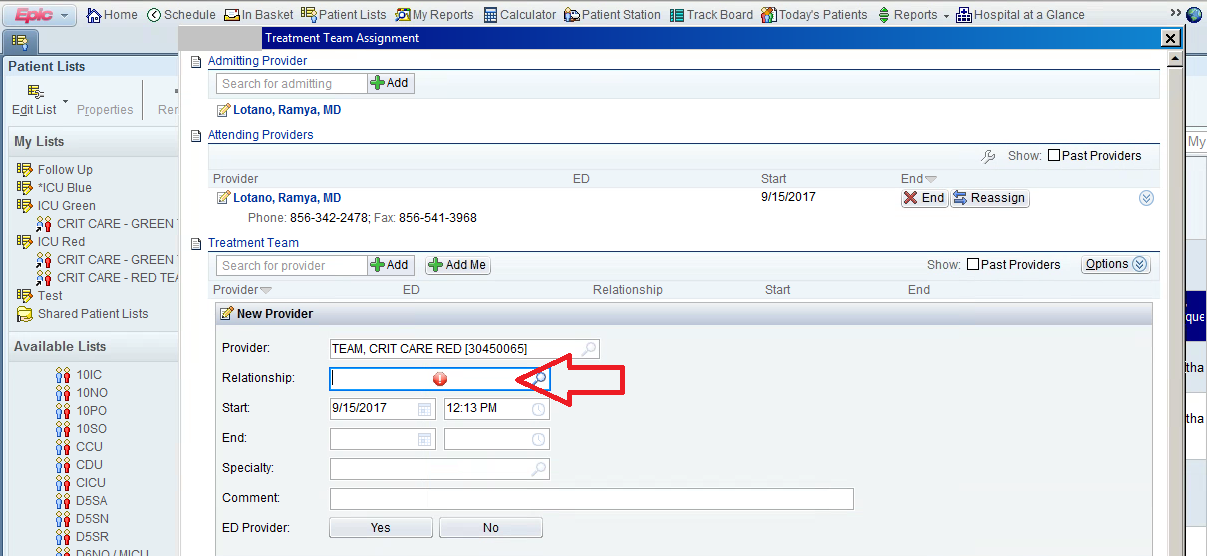
Type “Team”, Hit Enter
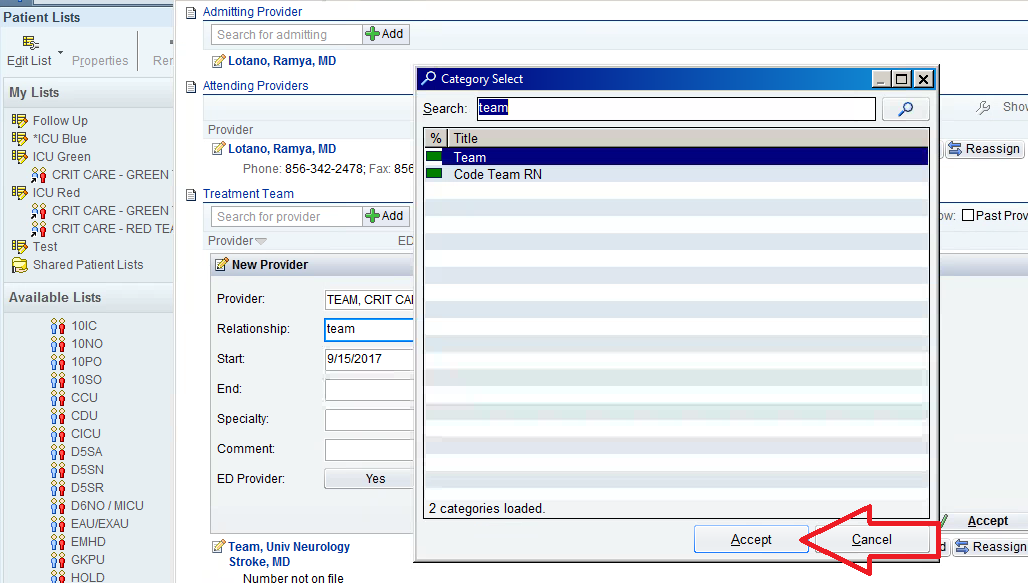
Click Accept
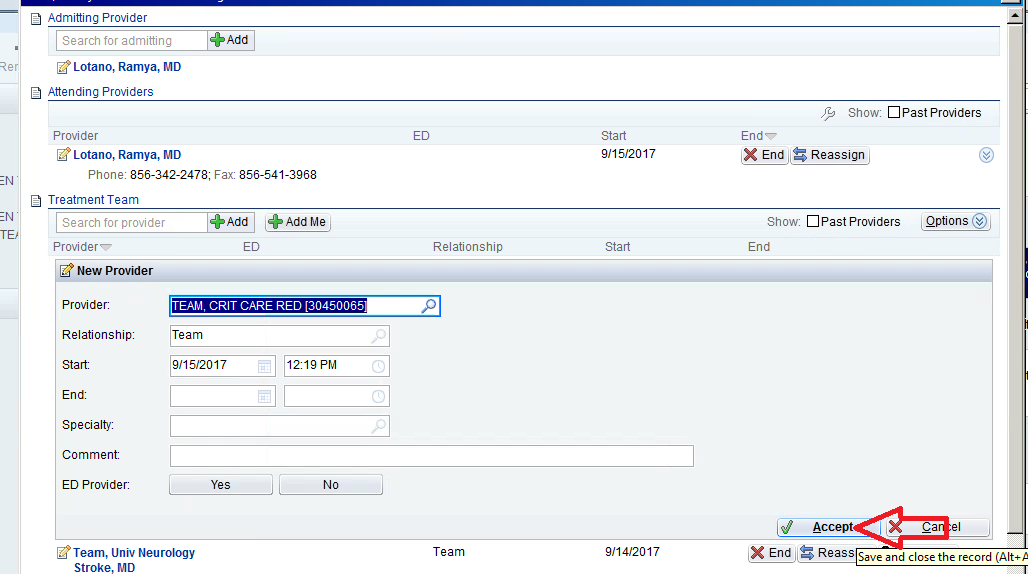
Click Accept Again


Primary Sidebar

  • Viner Intensive Care Unit Leadership
  • Staffing
    • Amion
  • Mechanics
    • Protocols
    • Blood Glucose Control in the Critically Ill
    • Antimicrobial Stewardship in the ICU
  • LEANS ROUNDS and Flow of the Day
  • Admitting/Discharging Patients
  • Progress Notes
  • Bedside Procedures
    • Bedside Procedure Policy
    • Central Venous Cannulation & Catheter Placement
      • – Ultrasound Guided Axially Vein Cannulation
      • – New England Journal of Medicine Subclavian Vein CVC
      • – New England Journal of Medicine Internal Jugular Vein CVC
      • – New England Journal of Medicine Femoral Vein CVC
  • Transferring Patients
  • Interaction with Families
  • EPIC
  • Sign Out
  • Hospital Acquired Infections
  • Quality and Safety
  • Lecture Schedule
  • Lecture Videos
  • Quiz
  • Point of Care Ultrasound
  • Intermediate Care Unit
  • Critical Care Attendings
  • The Cooper Review
  • CCM Clerkship Student Feedback Form
  • ICU Delirium
Log Your Work Hours

Footer

Log In
Log Out

Copyright © 2026 · Magazine Pro on Genesis Framework · WordPress · Log in