
• Skip to main content
  • Skip to primary sidebar
  • Skip to footer

Critical Care Operations

Transferring Patients

Transferring a Patient Out of the ICU

  • Place Transfer Order in EPIC for Patients going to Sub-specialty service (Neurology, Surgery)
  • Transferring a patient to Medicine Requires:
    1. Place Transfer Order in EPIC (Admitting Attending is MAH)
    2. Place Patient on IM-Bed Planning Treatment Team List
    3. Verbally give sign out to MAR (Medical Admitting Resident) when a bed is assigned
    4. If patient has been admitted longer than 24 hours they need a Transfer Note

Transferring a Patient to the INCU

  • Write a Transfer Note
  • Notify the INCU Fellow at 4158
  • Place patient on the Critical Care Green List

Only when an INCU bed is ready!

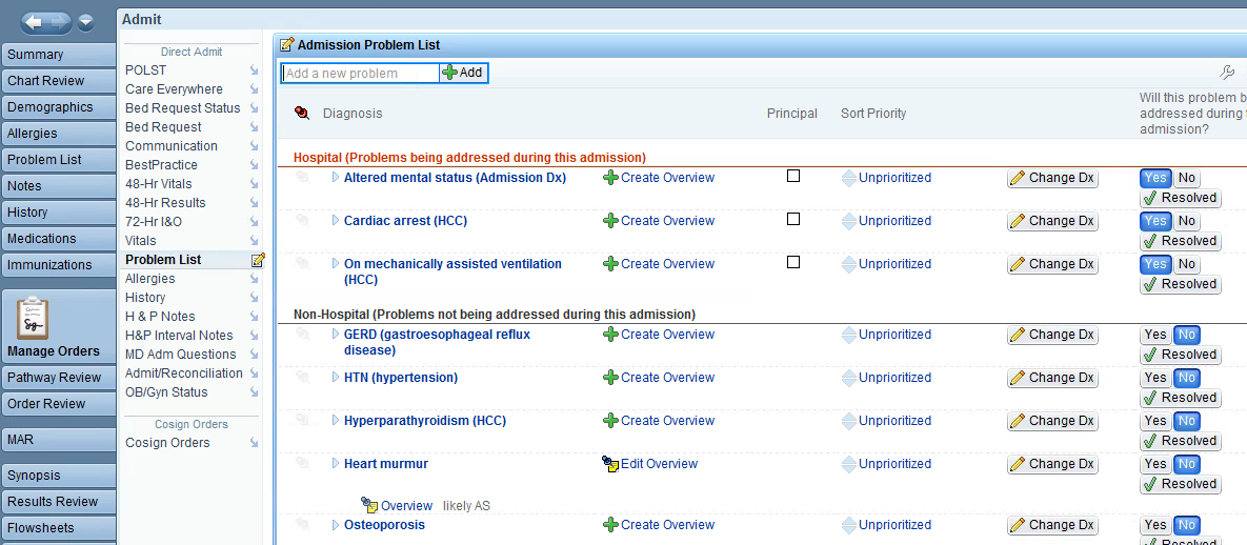
Admitting Patients: Click Admit Tab and Problem List
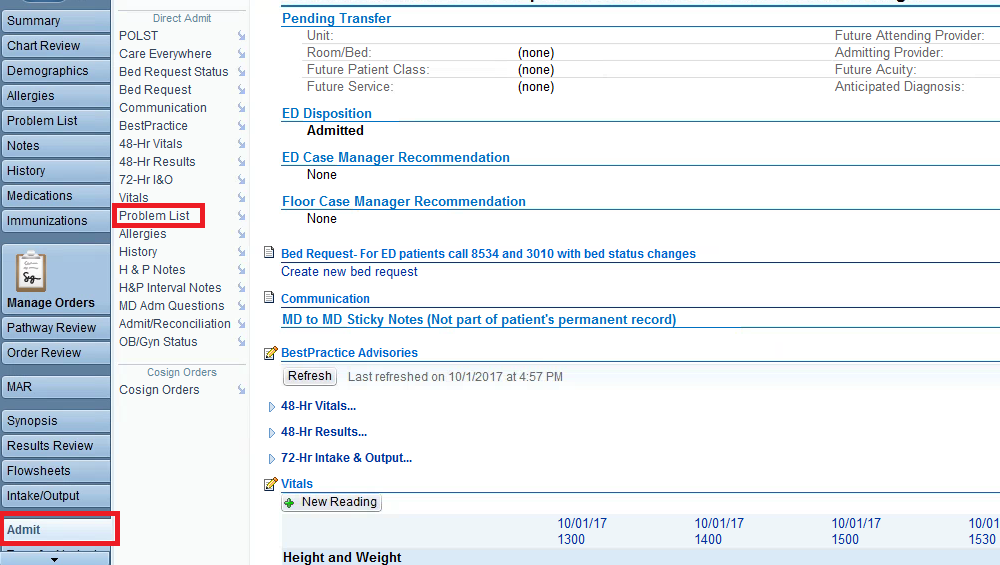
Add Problems being addressed
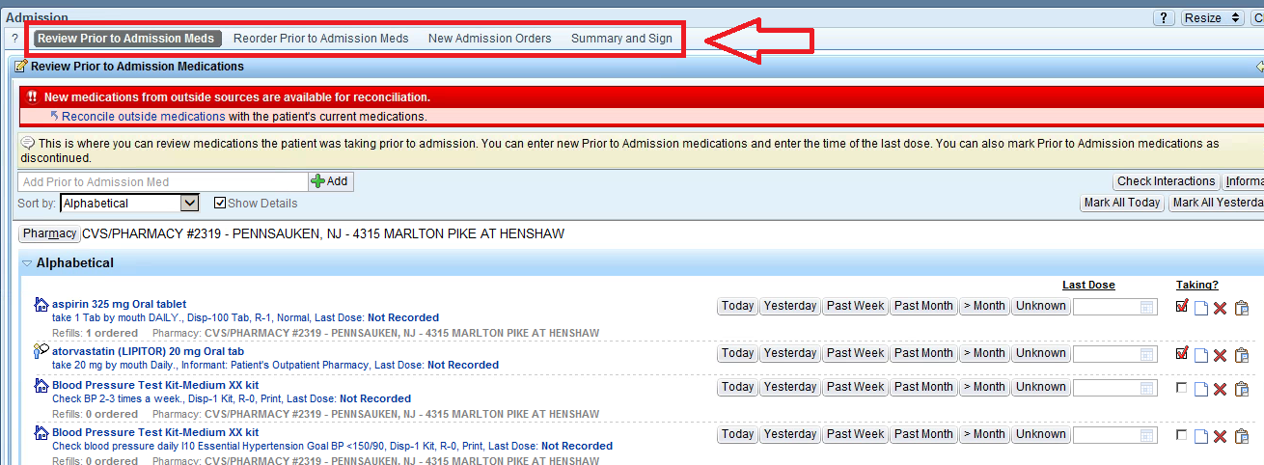
Then click Admit/Reconciliation and complete tabs at top of the screen


Primary Sidebar

  • Viner Intensive Care Unit Leadership
  • Staffing
    • Amion
  • Mechanics
    • Protocols
    • Blood Glucose Control in the Critically Ill
    • Antimicrobial Stewardship in the ICU
  • LEANS ROUNDS and Flow of the Day
  • Admitting/Discharging Patients
  • Progress Notes
  • Bedside Procedures
    • Bedside Procedure Policy
    • Central Venous Cannulation & Catheter Placement
      • – Ultrasound Guided Axially Vein Cannulation
      • – New England Journal of Medicine Subclavian Vein CVC
      • – New England Journal of Medicine Internal Jugular Vein CVC
      • – New England Journal of Medicine Femoral Vein CVC
  • Transferring Patients
  • Interaction with Families
  • EPIC
  • Sign Out
  • Hospital Acquired Infections
  • Quality and Safety
  • Lecture Schedule
  • Lecture Videos
  • Quiz
  • Point of Care Ultrasound
  • Intermediate Care Unit
  • Critical Care Attendings
  • The Cooper Review
  • CCM Clerkship Student Feedback Form
  • ICU Delirium
Log Your Work Hours

Footer

Log In
Log Out

Copyright © 2026 · Magazine Pro on Genesis Framework · WordPress · Log in